Monitoring Unraid power usage with Home Assistant
Hardware
When upgrading my home file server last year, I incidentally ended up with a Corsair RM850i power supply. What I didn’t know until I opened the box was that it has an internal USB interface for communicating with software running on the host system to monitor power consumption.
Of course, this involves a cursed USB cable with microUSB on the PSU end and an internal USB 2.0 header on the other. I have to imagine there’s some kind of resource-intensive, tracker-laden, Windows-exclusive software for communicating with it, but we don’t do that here.
Unraid plugin
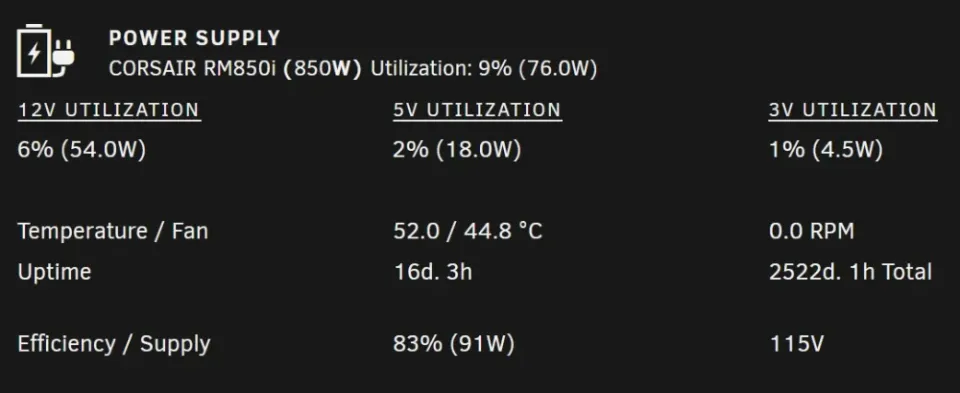
This server runs Unraid (for now), and thanks to the work of several people, there is an Unraid plugin that communicates with the power supply using corsairRMi and shows the power usage statistics in Unraid’s web dashboard.
I didn’t realize it until I went back to the plugin page while writing this post, but the plugin has a suggested Home Assistant configuration. However, it relies on HTTP basic authentication, which Unraid no longer supports, so this article is still relevant!
Unraid needs a network API
By watching the browser’s network log with the Unraid dashboard open, I saw that it requests /plugins/corsairpsu/status.php every few seconds to retrieve the PSU data from the plugin. Its response data looks like this:
{
  "temp1": "51.5",
  "temp2": "44.8",
  "fan_rpm": "0.0",
  "capacity": "850",
  "12v_watts": "54.0",
  "5v_watts": "18.0",
  "3v_watts": "4.0",
  "watts": "76.0",
  "load": 9,
  "12v_load": 6,
  "5v_load": 2,
  "3v_load": 0,
  "vendor": "CORSAIR",
  "product": "RM850i",
  "uptime": "16d. 2h",
  "uptime_raw": "1393094",
  "poweredon": "2522d. 0h",
  "poweredon_raw": "217904294",
  "input_voltage": 115,
  "input_power": 91,
  "efficiency": 83
}
GET /plugins/corsairpsu/status.php
The main value we’re looking for is input_power, which is presumably the total wattage coming into the PSU.
To automate this, we’ll need to first log into Unraid with the root password, because despite my calendar saying 2024, Unraid still doesn’t have any kind of API or allow non-root users to access the dashboard. Luckily, this is as simple as:
curl -sS -X POST http://UNRAID_IP_HERE/login -F username=root -F 'password=ROOT_PASSWORD_HERE'
That’s great and all, but all that does is return a session cookie. Now, we could write it to a file and have it refresh before it expires, but that’s a lot more complicated to do than what I have in mind.
A lot of Linux command line tools, cURL included, allow you to use - in place of a filename to read from the standard input stream (or write to the standard output stream) instead. Combining this with cURL’s --cookie-jar option, which tells it where to write (or read) persistent cookie data, we can pass cookies between cURL invocations like this:
curl -X POST …/login --cookie - | curl …/status.php --cookie -
-s (or --silent) to suppress progress/status output that would interfere with passing the cookie and outputting the response JSON, but I tried to keep this example short so you could see how it works without wrapping the command over multiple lines.The first command submits the Unraid login form and outputs the cookies returned by the server, and the second commands receives those cookies and uses them to request the PSU status. The | (pipe) operator redirects the standard output stream of the first command into the standard input stream of the second command.
Getting it into Home Assistant
I chose to store the entire command as a secret to avoid putting my Unraid root password directly into my Home Assistant configuration. It would have been nice to include just the password as a secret, but it’s not currently possible to interpolate secrets into other strings in the configuration files.
unraid_power_usage_command: >-
  curl -sS -X POST http://UNRAID_IP_HERE/login --cookie-jar - -F username=root -F 'password=ROOT_PASSWORD_HERE'
  | curl -sS http://UNRAID_IP_HERE/plugins/corsairpsu/status.php --cookie -
secrets.yaml
I then defined a Home Assistant sensor entity that periodically runs the secret shell command to retrieve the current wattage:
command_line:
  - sensor:
      unique_id: unraid_server_power
      name: Unraid Server Power
      command: !secret unraid_power_usage_command
      value_template: '{{ value_json["input_power"] }}'
      device_class: power
      unit_of_measurement: W
      state_class: measurement
      json_attributes:
        - efficiency
configuration.yaml
And after reloading my Home Assistant configuration, we have an entity!
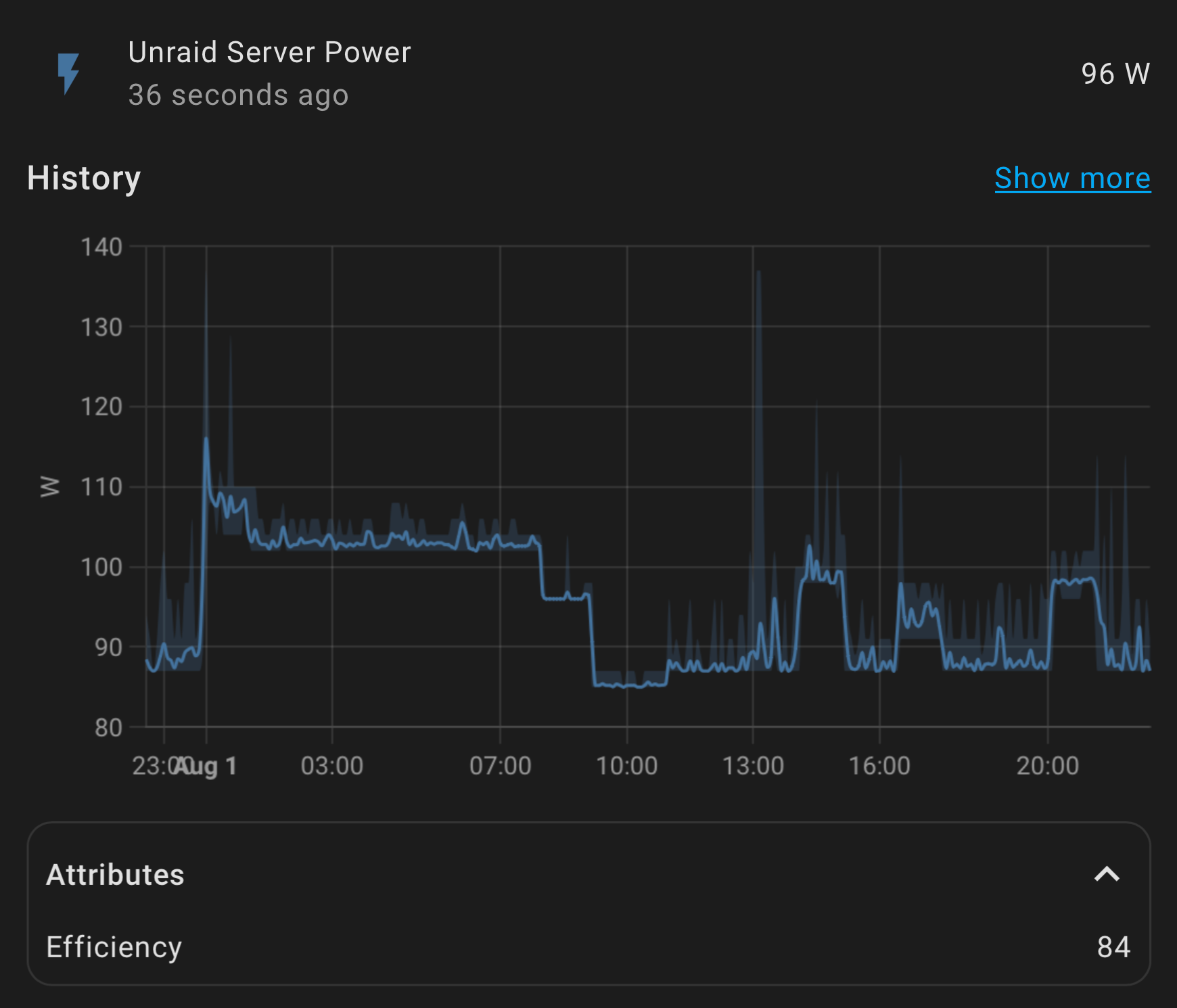
To integrate this with the energy dashboard, you’ll need to create a Riemann Sum helper that takes the power entity as an input and calculates the total usage over time.
A word of warning
Normally, automating logging into a system repeatedly like this will cause problems because a lot of servers maintain a list of login sessions that would eventually get too large to handle. However, I’ve been running this for several months without restarting Unraid and I haven’t noticed any side effects yet, so I think their login system is just simple enough to not experience this problem.
Comments ()